







Corporate culture

The Hybrid Seminar in 2026 How to Unite In-Person and Remote Without Sacrificing Experience

Hybrid Seminars 2026 Engaging Remote Attendees Fully

Seminaire.com Team July 16, 2026 8 min read
The Hybrid Seminar in 2026 How to Unite In-Person and Remote Without Sacrificing Experience

The hybrid seminar — some delegates in the room, others remote — is the great promise of the post-covid era. And the great disappointment in 80 % of cases: remote participants feel excluded, observers of an event happening without them. This guide gives you the keys to designing a true hybrid.

Ready to Create Unforgettable Team Experiences?

Discover how we can help you plan retreats that your teams will truly remember.

Why Most Hybrid Seminars Fail

📊 The uncomfortable figure

In an Event Manager Blog survey (2024), 78 % of remote participants at hybrid events describe their experience as 'passive' or 'frustrating'. Main cause: the format was not designed for them.

  • 📺 The black wall — Remote delegates see backs or a conference table. They hear but don’t participate.
  • 🎤 Unusable audio — A room microphone captures ambient conversations but not remote contributions.
  • 🙈 Forgetting the remotes — Facilitators naturally address the in-room audience. Remote delegates are mentally excluded.
  • Unadapted timing — Team-building activities and group work are designed for in-person, inaccessible to remotes.

The 5 Principles of a True Hybrid Seminar

  • 🎥 Camera-first design — Every space must be designed to be visible and understandable on screen. Framing, lighting, lapel microphone for each speaker.
  • 🤝 Equivalent participation — For each activity, design an equivalent remote version — not inferior. If in-person does LEGO Serious Play, remotes do the equivalent on Miro.
  • 🎙️ Dedicated remote moderator — One person in the room whose sole role is to be the advocate and voice of remote participants. Essential.
  • 🔄 Format alternation — Don’t run 3 hours of plenary without interaction. Alternate: short presentation → poll → breakout room → synthesis.
  • 📱 Shared participatory tools — Slido, Mentimeter, Miro — tools that EVERYONE can use simultaneously, whether in-room or remote.

Minimum Technical Setup for a Successful Hybrid
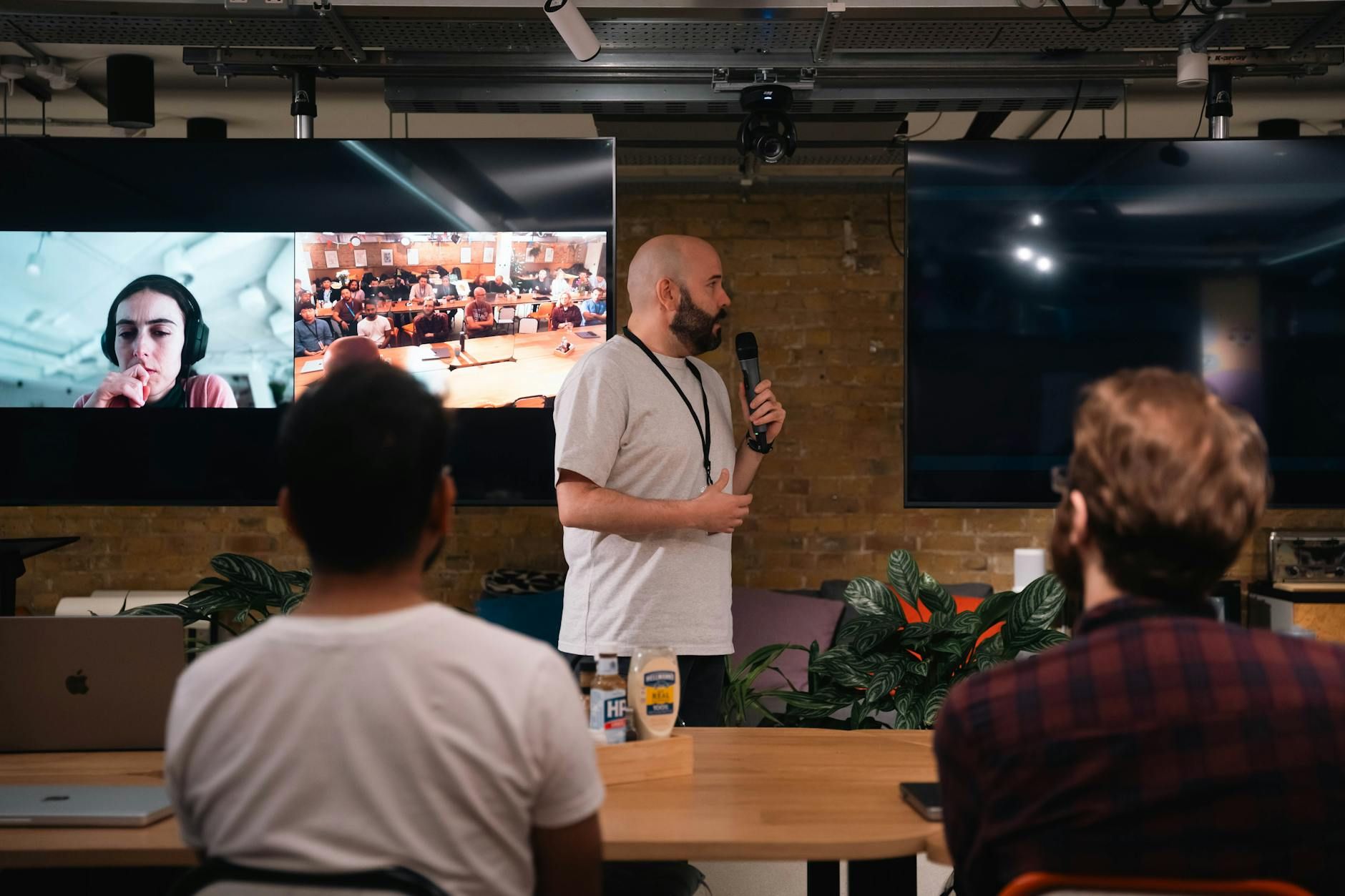
A business presentation featuring a speaker and interactive video call in an office setting.


EquipmentMinimum standardPremium
CameraFixed 1080p HD webcamMotorised PTZ + wide shot
AudioOmnidirectional table microphoneWireless microphone system by zone
Remote display65” screen showing remote delegatesImmersive screen wall
ConnectionDedicated fibre 50 Mbps minimum4G/5G redundancy

❓ Frequently Asked Questions


Is a 100 % in-person or hybrid seminar better?

If more than 30 % of your team is remote, hybrid is necessary. If the primary objective is cohesion, 100 % in-person is almost always superior.


Which video conferencing tool do you recommend for a hybrid?

Zoom Events, Microsoft Teams Premium and Hopin are the best adapted for large hybrids. For small groups (<20 remotes), standard Zoom or Google Meet with the right AV setup suffice.


How do you evaluate remote delegates’ experience?

Send a separate survey to remotes within 24h: 3 questions on audio/video quality, sense of participation and recommendation. Compare with in-person scores to identify gaps.

Ready to organize your next retreat?

Discover how we can help you create memorable experiences for your teams.

Create lasting memories with your team in inspiring locations

Create lasting memories with your team in inspiring locations
FAQ

Frequently Asked Questions: The Hybrid Seminar in 2026 How to Unite In-Person and Remote Without Sacrificing Experience

The key takeaway from this blog post is that most hybrid seminars—where some delegates attend in person and others join remotely—often leave remote participants feeling excluded. The article addresses why this happens and provides actionable guidance for organizers aiming to design truly inclusive hybrid events.

By analyzing the common pitfalls and offering expert insights, the post helps event planners understand the core challenges of uniting in-person and online attendees without sacrificing experience. It emphasizes that thoughtful planning and intentional design are crucial for successful hybrid seminars.

To explore more strategies and best practices for modern corporate events, browse our blog index for related articles and resources.

This guide is especially valuable for corporate event organizers, HR professionals, and seminar leads tasked with delivering impactful hybrid experiences in 2026 and beyond. If you are responsible for planning or facilitating events that blend in-person and remote participation, this article is tailored for you.

It will also benefit decision-makers seeking to enhance engagement and inclusivity in their organization’s seminars, as well as those looking to avoid common pitfalls of hybrid formats. The focus is on practical, real-world advice for professionals who want to ensure every delegate feels involved, regardless of their location.

For more guides tailored to corporate event planning, visit our blog section.

The blog post highlights that the majority of hybrid seminars fall short because remote attendees often feel like passive observers rather than active participants. This disconnect stems from a lack of inclusive design and insufficient attention to the remote experience.

Key challenges identified include:

  • Remote delegates not being fully integrated into discussions or activities
  • Technical and communication barriers that reduce engagement
  • Event formats that prioritize in-person attendees at the expense of remote ones

To learn more about overcoming these issues, check out our other expert articles in the blog index.

Successful hybrid seminars require intentional planning to ensure both in-person and remote delegates feel equally valued. The article recommends focusing on inclusive design, robust technology, and seamless communication between all participants.

Practical steps include:

  • Designing interactive sessions that allow remote voices to be heard
  • Investing in reliable AV and streaming technology
  • Providing clear roles for moderators to bridge the gap between on-site and virtual attendees

For more in-depth planning tips, explore our latest posts in the blog section.

If you’re looking to deepen your understanding or need expert support for hybrid seminar planning, this blog post is an ideal starting point. It offers foundational insights and practical strategies to help you avoid the common pitfalls of hybrid events.

For tailored advice or to see case studies and programme options, continue exploring our blog. If you have specific questions, you can also reach out to our team for further consultation and recommendations.

CTA background

Ready to Plan Your Next Team Retreat?

Let our expert team help you create an unforgettable experience for your team. Get started in minutes.

Talk to our team